1- Open the school website then click on PORTALS/ FACULTY PORTAL/ PTP:

2- Enter your email and password and login.
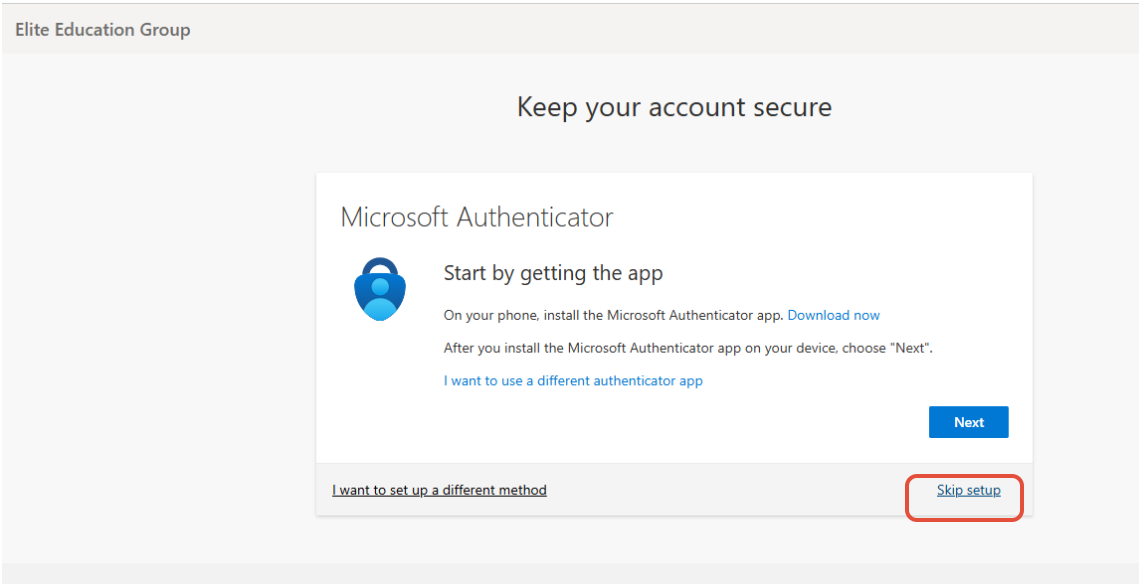
If you get this page, click on Skip setup.
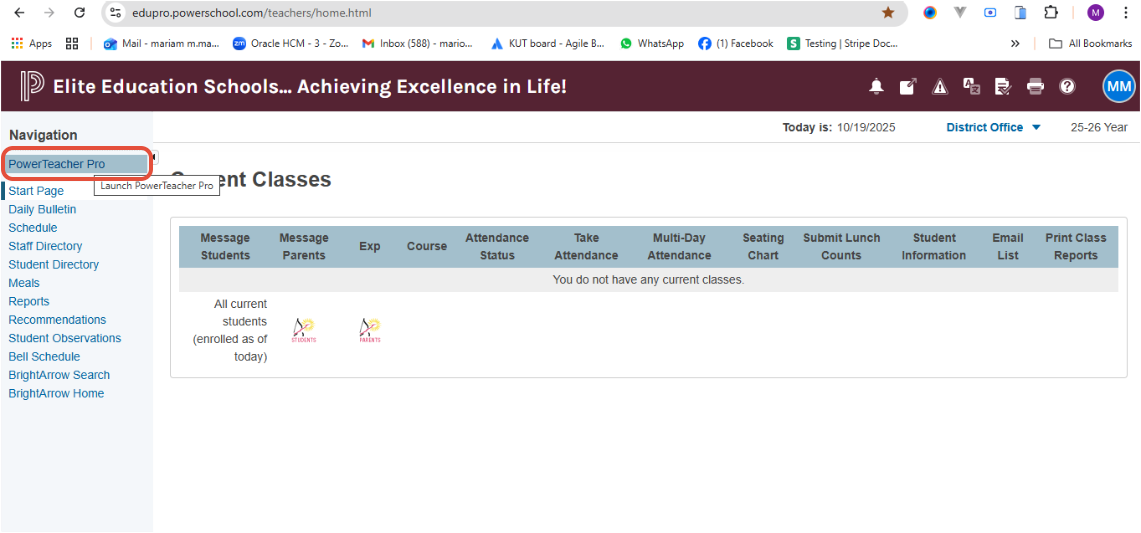
3- Click on Power Teacher Pro.
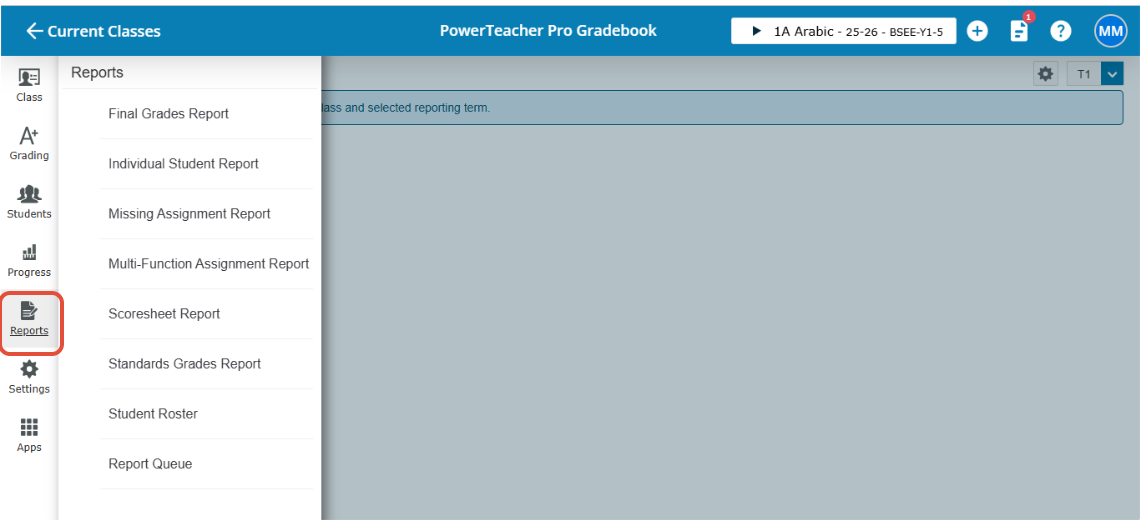
4- Click on Reports and select the report you need to generate.
Was this article helpful?
That’s Great!
Thank you for your feedback
Sorry! We couldn't be helpful
Thank you for your feedback
Feedback sent
We appreciate your effort and will try to fix the article