How to log in to the Schoology Mobile App as a Student
1- Open Schoology application.
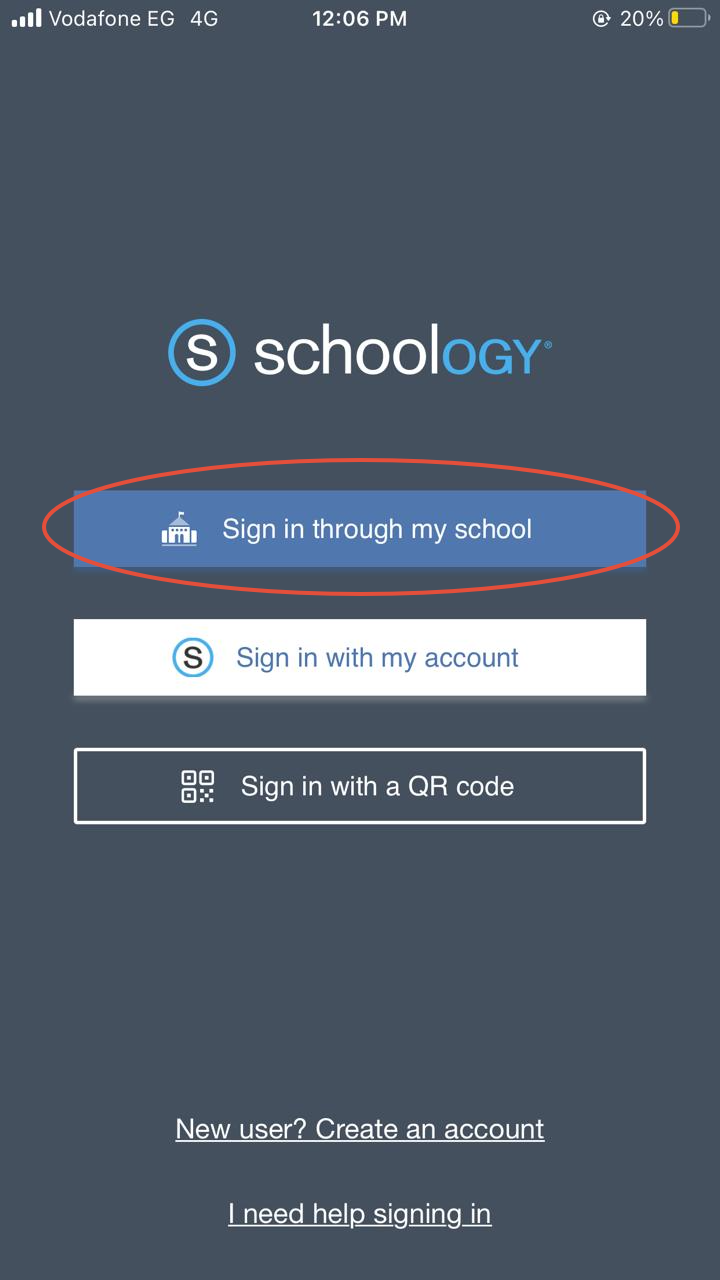
2- Tap “Sign in through my school”.
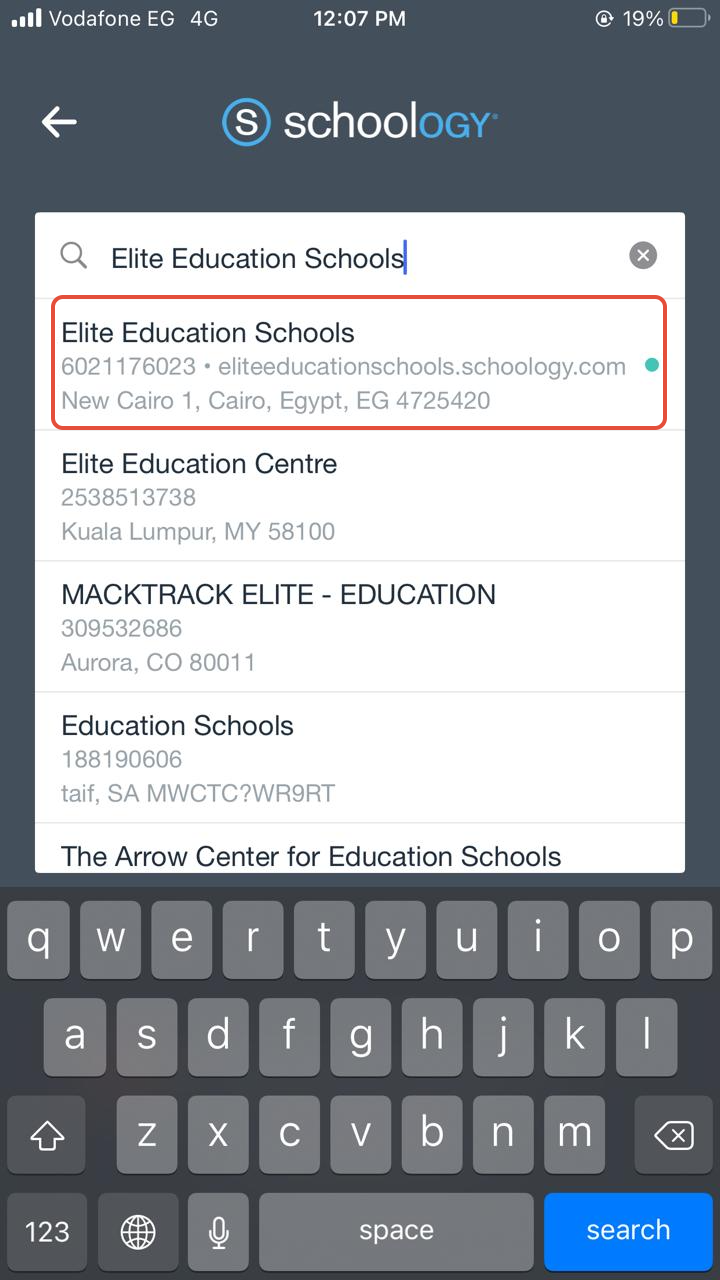
3- Type the school’s name "Elite Education Schools" and choose it from the drop-down menu.
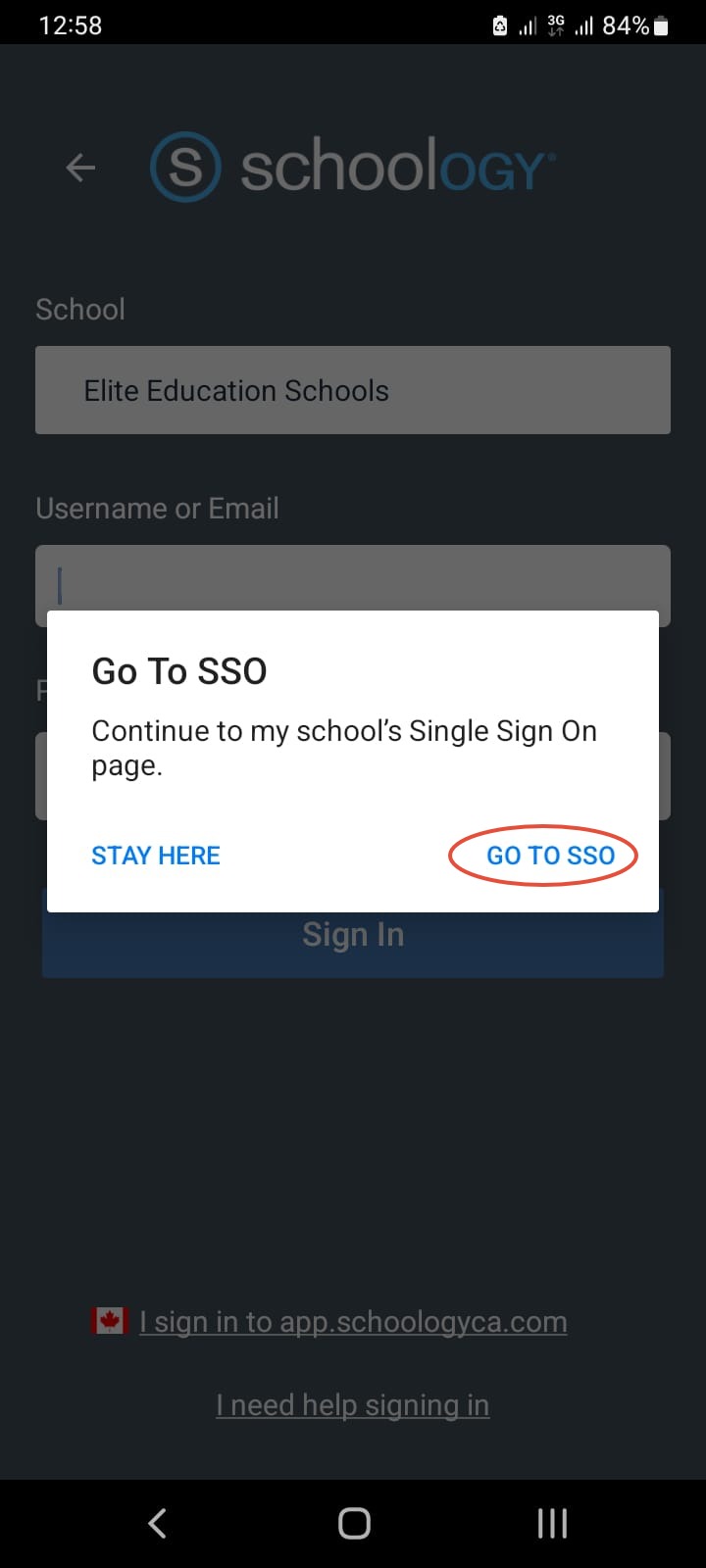
4- A pop-message will display, choose “Go To SSO”.
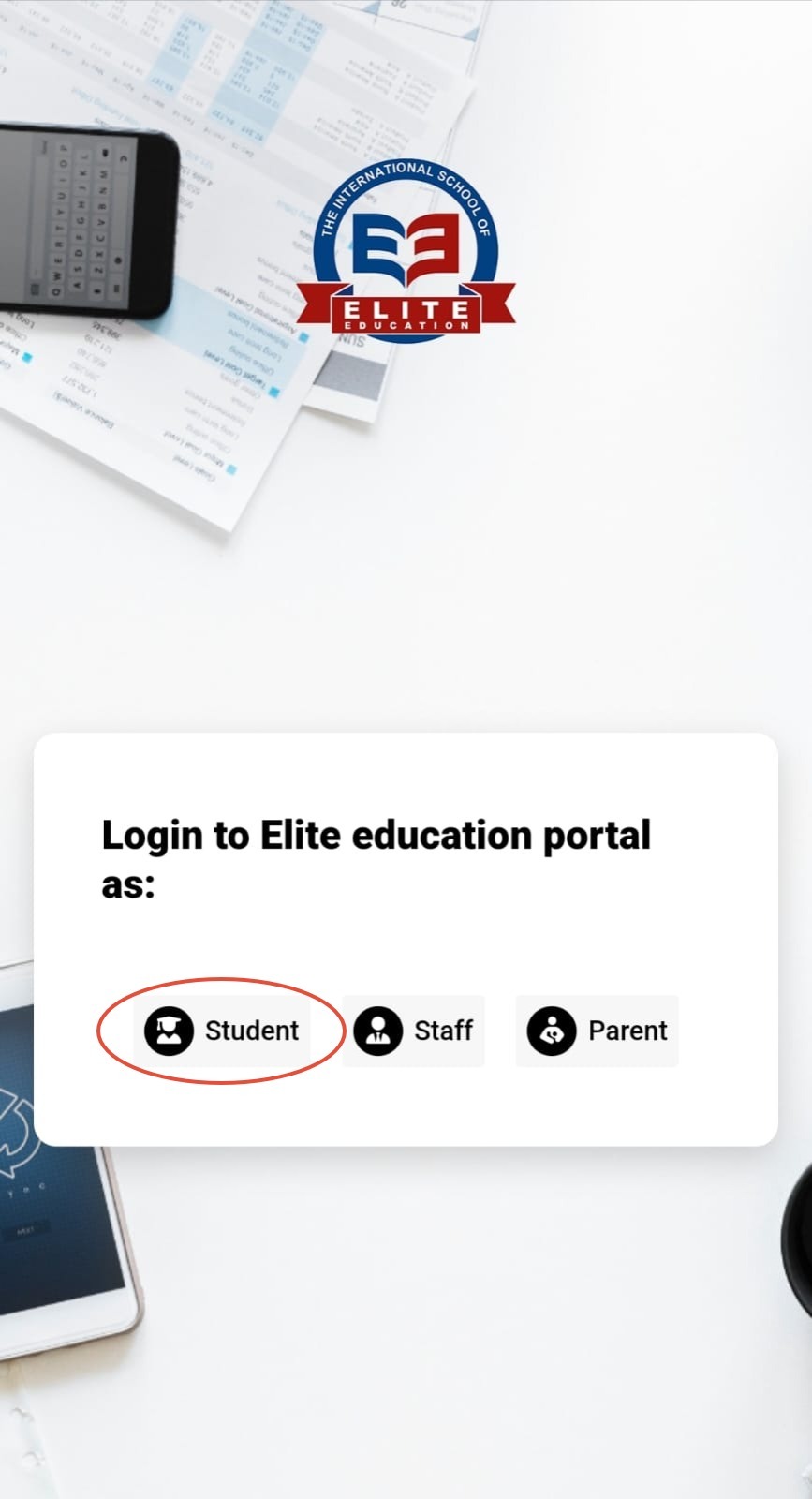
5- Select to login as Student.
6- Type the student's email and password as shown below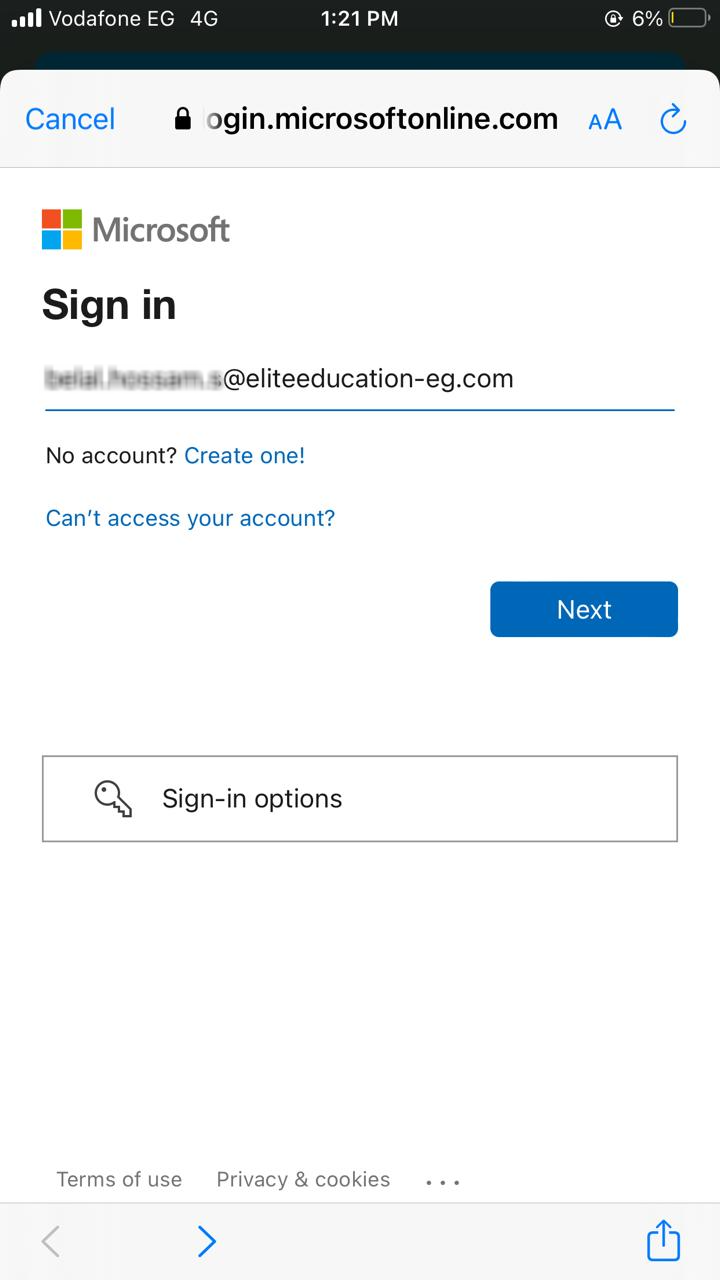
Type the temporary password:
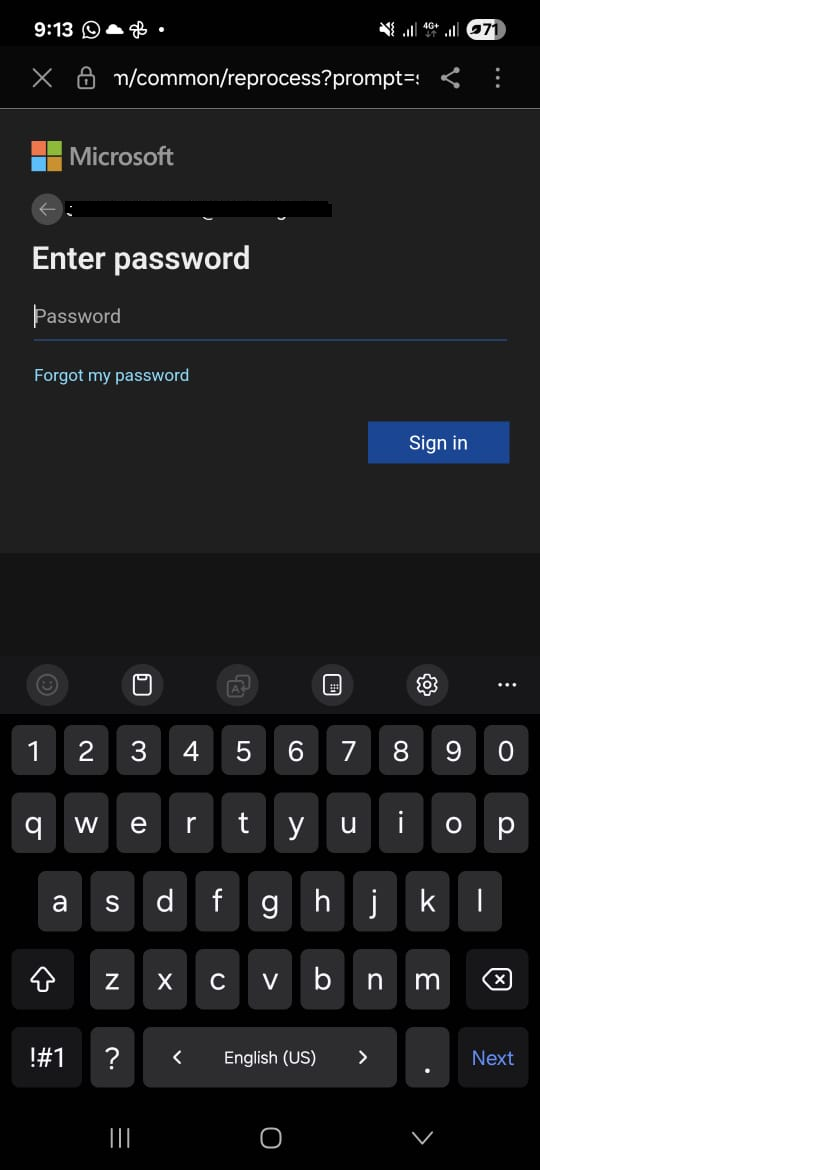
Type the temporary password again, then type the new password twice.
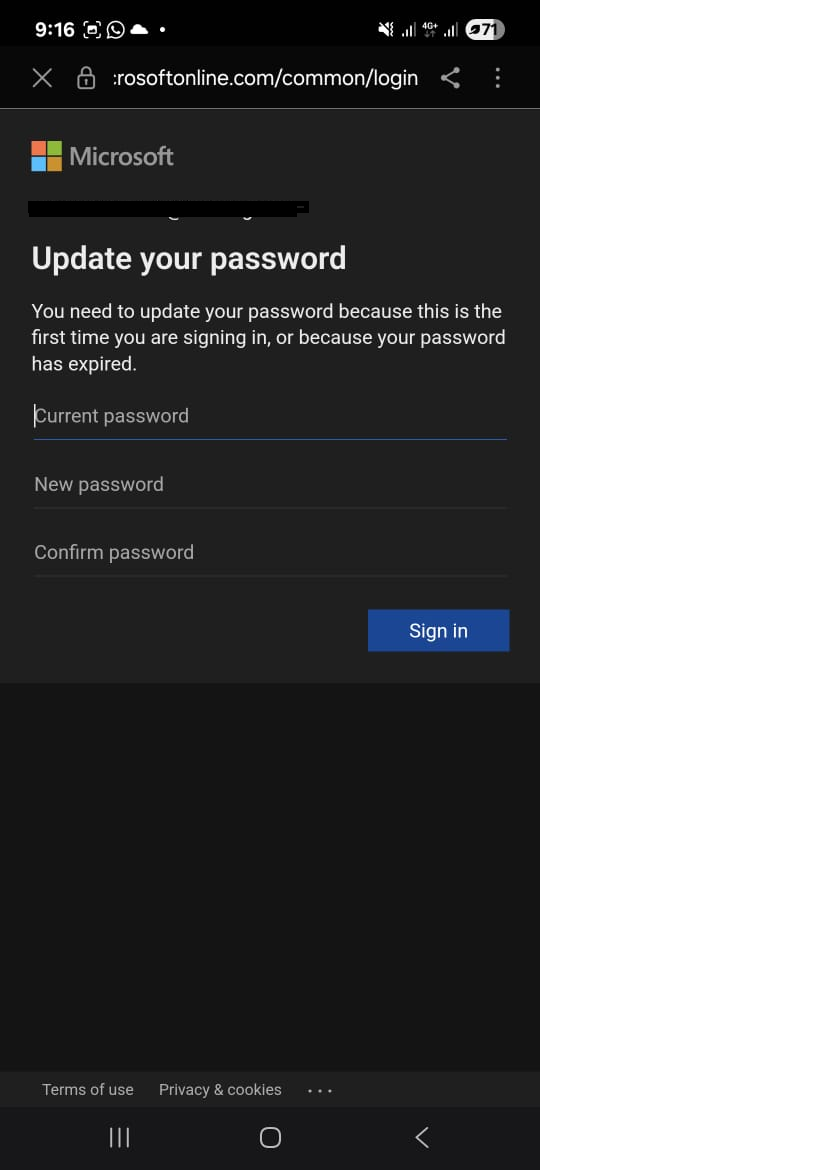
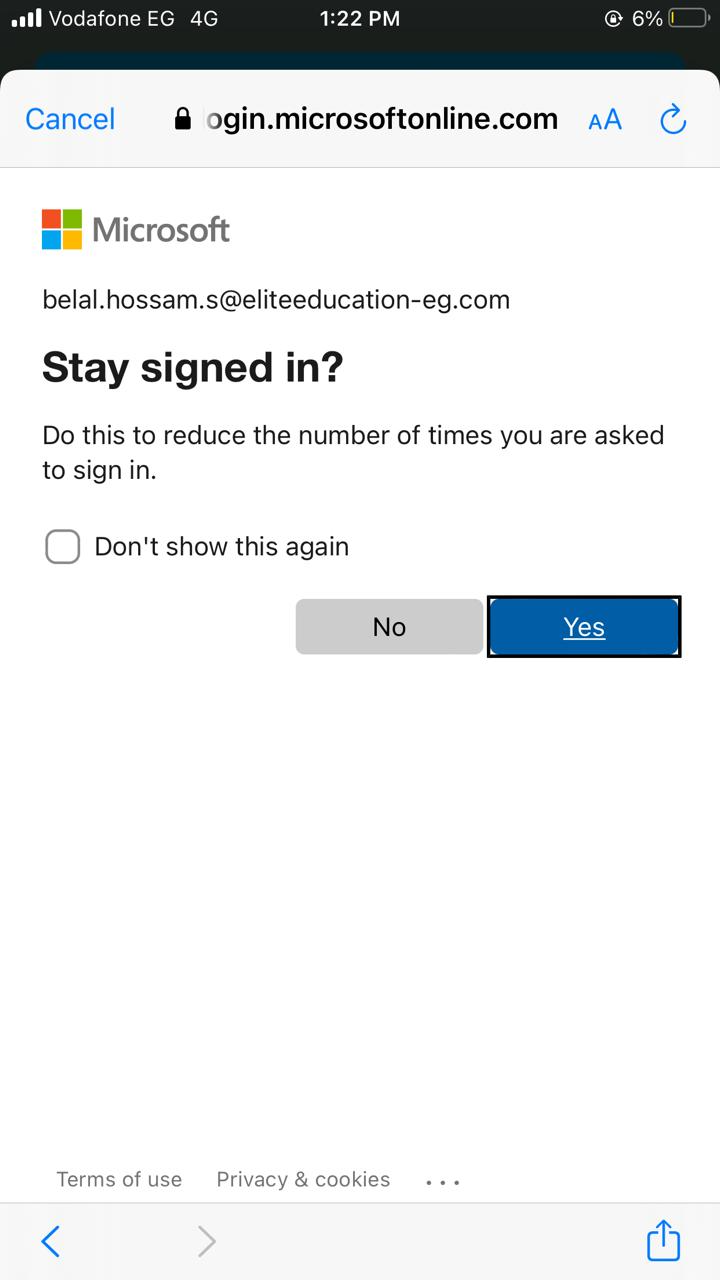
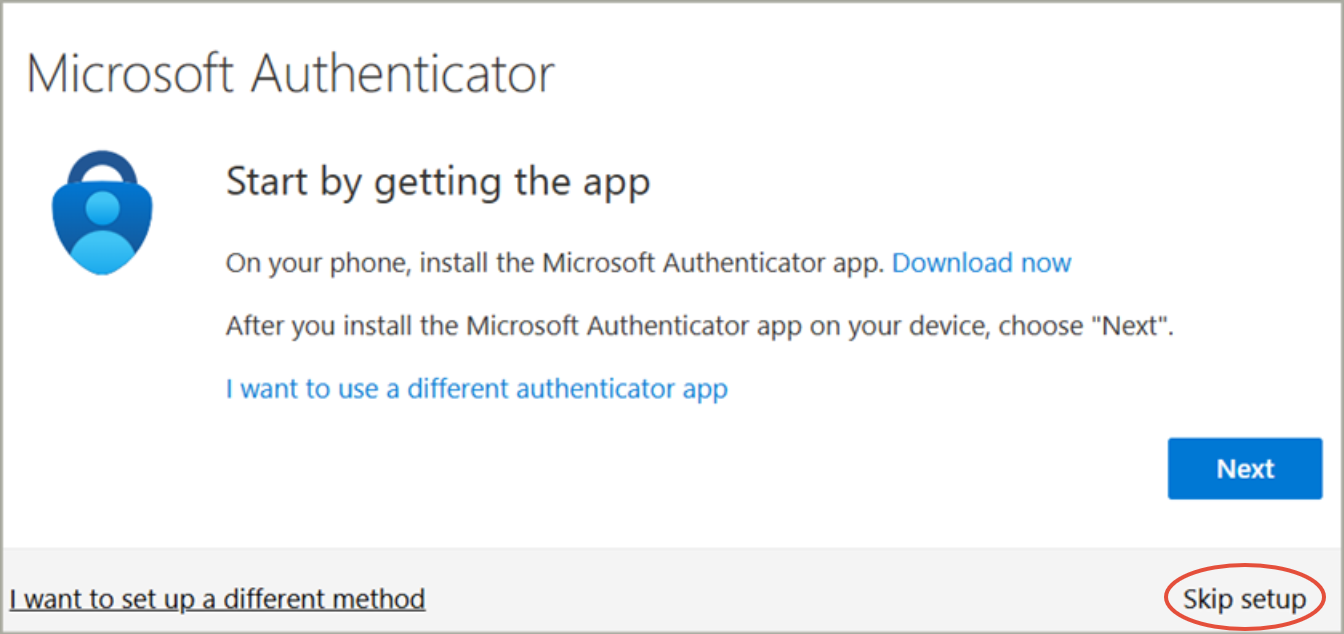
8- In case you received below window, Click on Skip Setup
Was this article helpful?
That’s Great!
Thank you for your feedback
Sorry! We couldn't be helpful
Thank you for your feedback
Feedback sent
We appreciate your effort and will try to fix the article